
Pasco SiteView - There's an App for That!
 Nigel 15 Mar 2026 4 min read
Construction sites don't wait for you to get back to the office. Design levels need checking while the excavator is still on site. Boundary pegs need confirming before the formwork goes in. You need coordinates now, not after a round-trip to the laptop.
That's why we've built the Pasco SiteView mobile app — a companion to the SiteView web platform that puts site surveying tools directly in your hands, on the ground, where the work happens.
From the Office to the Field
SiteView on the web has always been powerful. The 3D globe, drone survey overlays, design surface comparison tools, measurement suite — it's built for the office, for analysis, for reporting. But construction professionals spend their days on site, not at a desk.
The mobile app doesn't try to replicate the web experience on a small screen. Instead, it focuses on what you actually need in the field: see your sites, know where you are, capture data, and get back to work.
What the App Does
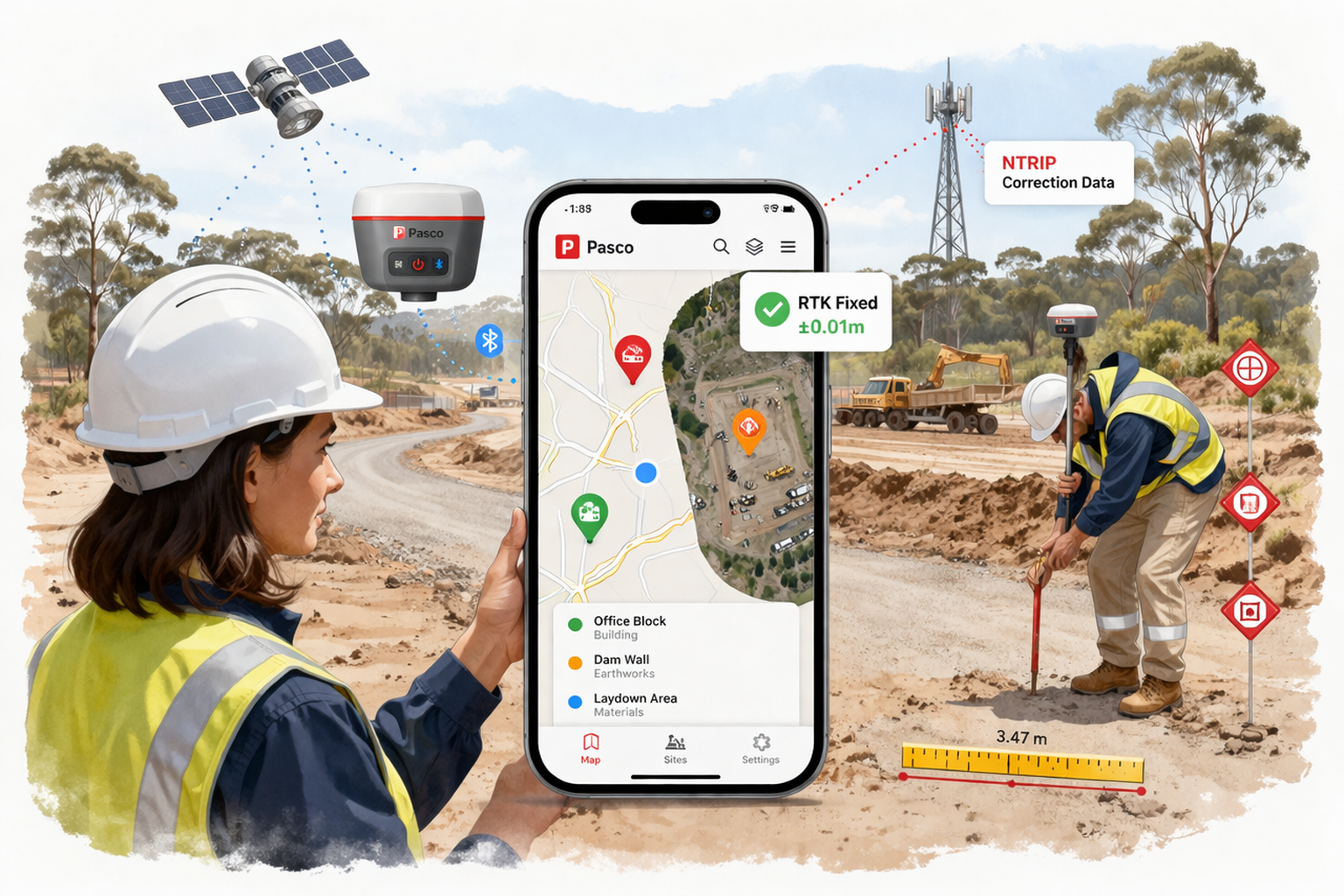
Your sites, on a map. Open the app and you see all your sites as colour-coded pins on a map. Active sites in green, on hold in amber, completed in blue. Tap a pin to see the details. Tap through to the full-screen site map with your drone orthophotos overlaid on street, outdoor terrain, or satellite imagery.
Capture points with a tap. Stand at a location, tap capture, and the app records your GPS coordinates along with the accuracy, satellite count, and a label and code of your choice. The point appears on the map immediately. When you're back online, it syncs to SiteView where it shows up on the web globe alongside your other measurements.
Measure distances between any two points. Tap two locations on the map — either captured points or arbitrary spots — and get the horizontal distance, bearing, and elevation difference instantly. Save it as a measurement or dismiss and move on.
Work offline. Construction sites aren't known for reliable mobile coverage. The app caches your site data and map tiles locally, so you can browse sites and view maps even without signal. Points captured offline queue automatically and sync when you reconnect. You never lose field data.
RTK: The Feature That Changes Everything
Phone GPS gives you three to five metres of accuracy. That's fine for navigating to a site, but useless for checking design levels or placing boundary pegs.
The SiteView mobile app connects to external RTK GNSS receivers via Bluetooth — devices like the ArduSimple or SparkFun RTK series that use the u-blox ZED-F9P chip. The app handles everything: Bluetooth pairing, NMEA data parsing, and streaming NTRIP correction data from CORS base stations like QGPSnet.
The result? Ten millimetres of horizontal accuracy. That's not a typo. The same centimetre-level precision that previously required expensive survey equipment and proprietary software, accessible through a construction management app on your phone.
A floating status chip on the map shows your fix quality in real time — red for standalone GPS, amber for RTK float, green for RTK fixed. You always know how much to trust the coordinate you're about to capture.
How It Fits Together
SiteView mobile isn't a standalone tool. It's the field end of a pipeline.
You set up sites and upload drone surveys on the web at siteview.pasco.cloud. The mobile app sees those sites, downloads their map tiles and orthophotos for offline use, and lets you capture field data against them. Points and measurements captured on mobile sync back to the web, where they appear on the 3D globe alongside your design surfaces, drone imagery, and all the other tools SiteView provides.
The data flows in both directions. The office and the field stay connected.
Built for Australian Construction
SiteView mobile targets the AU/NZ construction market. The coordinate system support, CORS network integration (QGPSnet, CORSnet-NSW, GPSnet, Auscors), and the practical UX decisions — large touch targets for gloved hands, minimal form fields for rapid capture, persistent accuracy indicators — all come from building software for people who actually stand on construction sites.
What's Next
The mobile app is in active development with internal testing underway. We're evaluating RTK receiver hardware options for a future bundled "Pasco RTK" product — a pre-configured receiver that pairs seamlessly with the app, no NTRIP configuration, no third-party software, just hardware to app to cloud.
If you're interested in trying the SiteView mobile app or have feedback on what field tools you need most, reach out through the contact form.
Pasco SiteView is part of the Pasco Cloud construction management platform. The web app is available at siteview.pasco.cloud. The mobile app is currently in internal testing for Android, with iOS to follow.